DRIP.

Videos · 7 so far

Every video, and everything we mentioned in it.

A short summary of each one, the video itself, and a link to every tool, repo and source. Newest first.

slide 1 of 10slide 2 of 10slide 3 of 10slide 4 of 10slide 5 of 10slide 6 of 10slide 7 of 10slide 8 of 10slide 9 of 10slide 10 of 10

Swipe through the slides →

Carousel · Sep 2026 · 10 slides

AI agents

Your AI can have its own WhatsApp number

What it covers

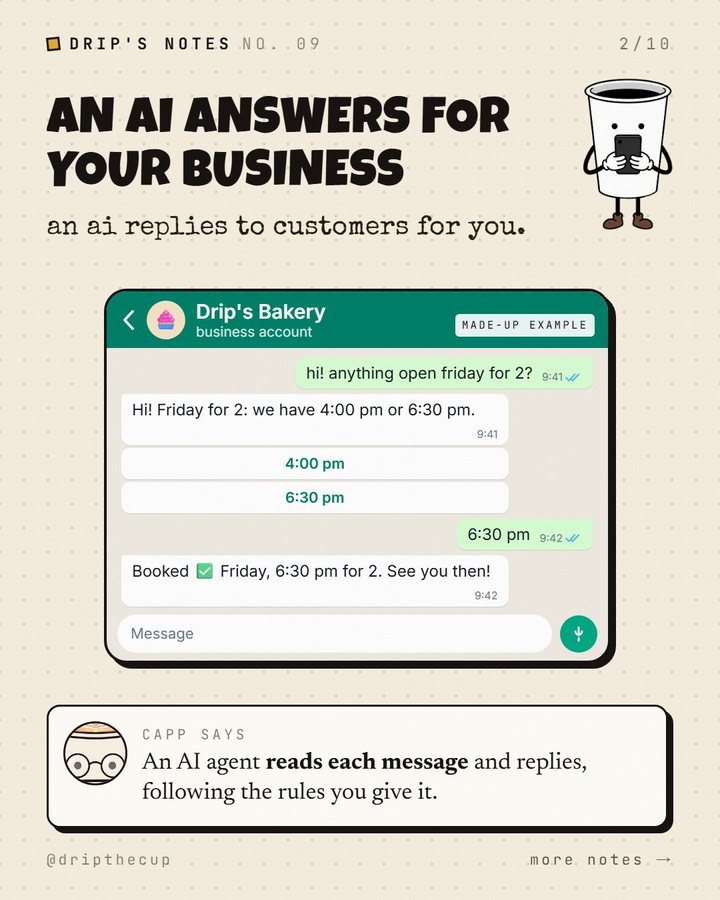
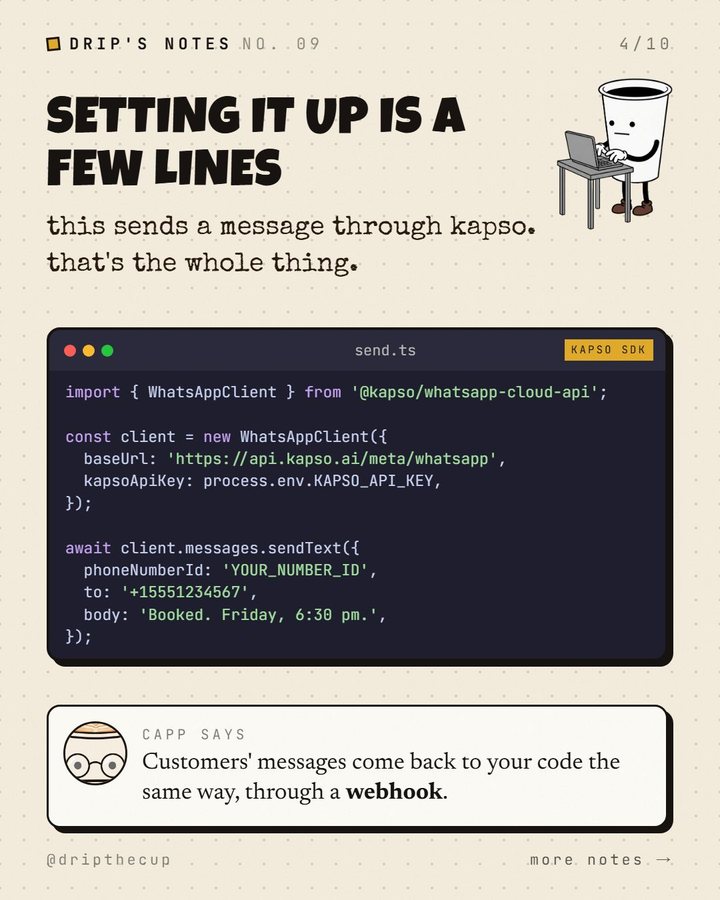
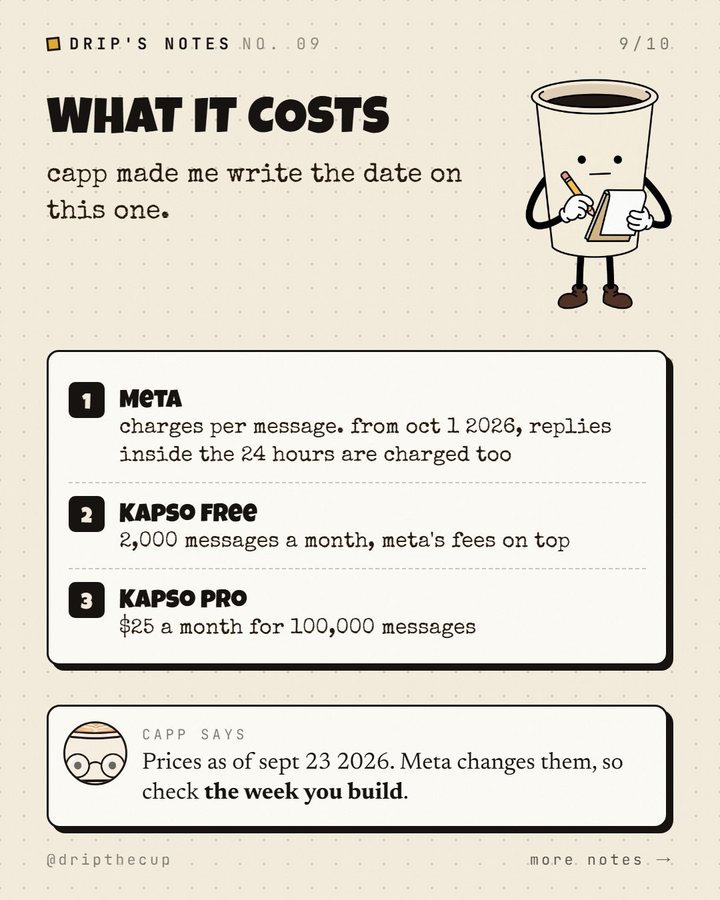
Capp shows Drip how an AI agent can answer a business's WhatsApp through Meta's official Cloud API: messages arrive at your code as a webhook, your code asks Claude what to say, and the reply goes back through the API. Plus the fine print: the 24-hour window, opt-in before messaging anyone, Meta's rule against general-purpose AI assistants, and per-message pricing (replies inside the window are charged from October 1, 2026). Facts checked September 23, 2026.

Everything we mentioned

  • Meta's official API for sending and receiving WhatsApp messages from your own code.

  • How new messages reach your code.

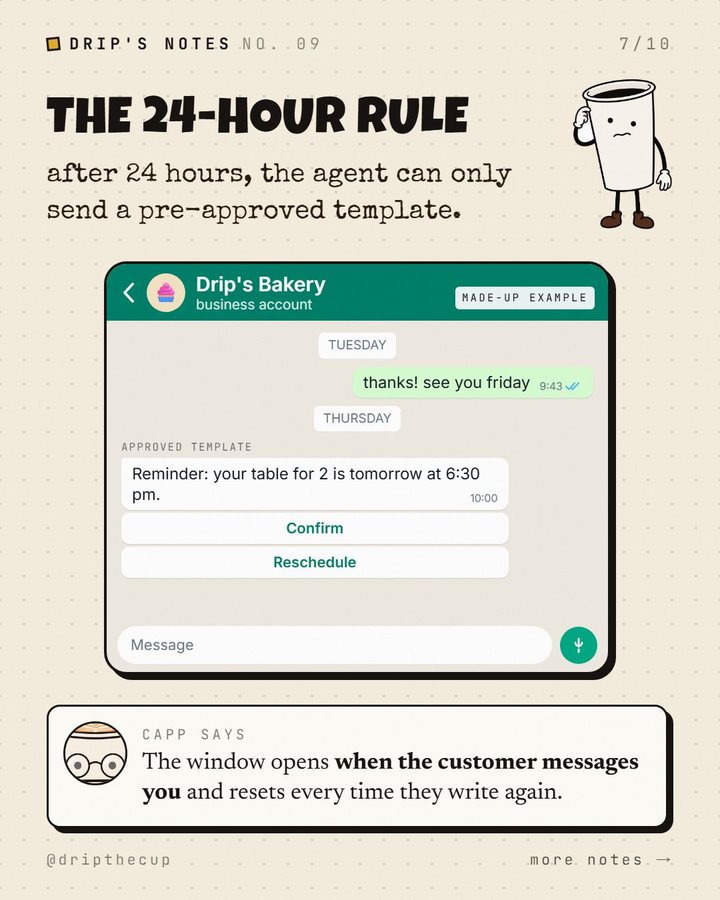
  • Free-form replies only within 24 hours of the customer's last message; after that, approved templates.

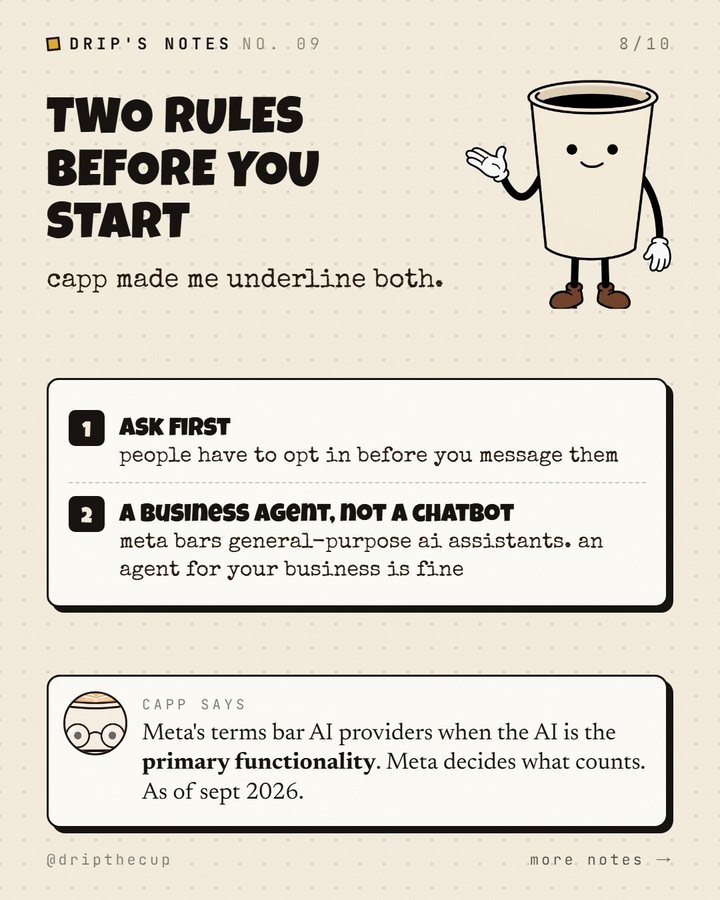
  • Get people's opt-in permission before you message them.

  • General-purpose AI assistants are not allowed; AI that's incidental to a business is.

  • Per-message pricing; non-template messages are charged from October 1, 2026.

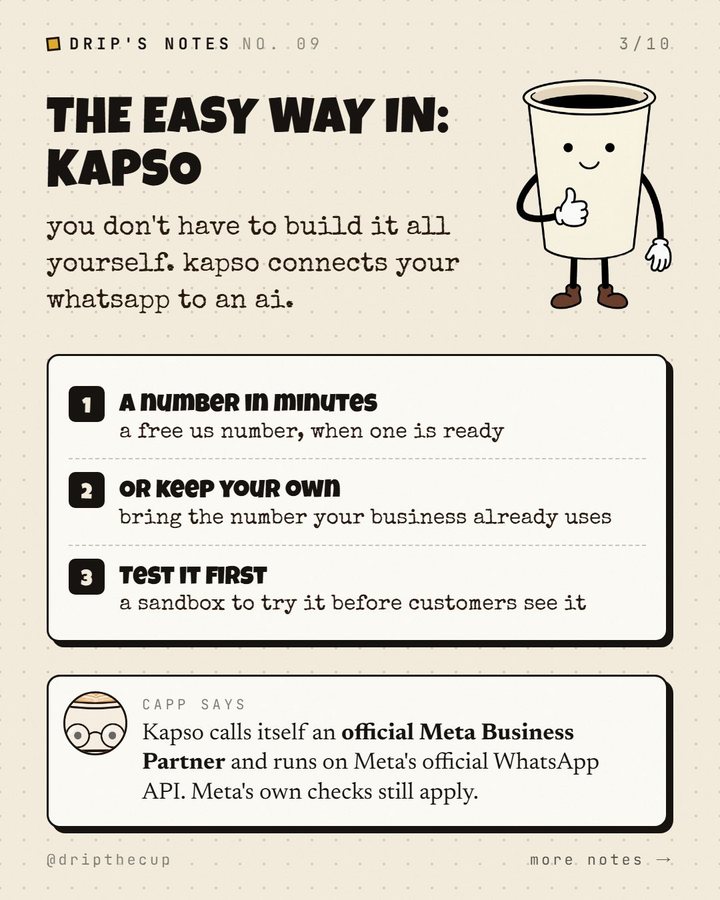
  • Kapso

    tool

    One way in: a WhatsApp number on the official Cloud API, with a sandbox, webhooks and logs. Free plan: 2,000 messages a month plus Meta's fees (Sep 2026).

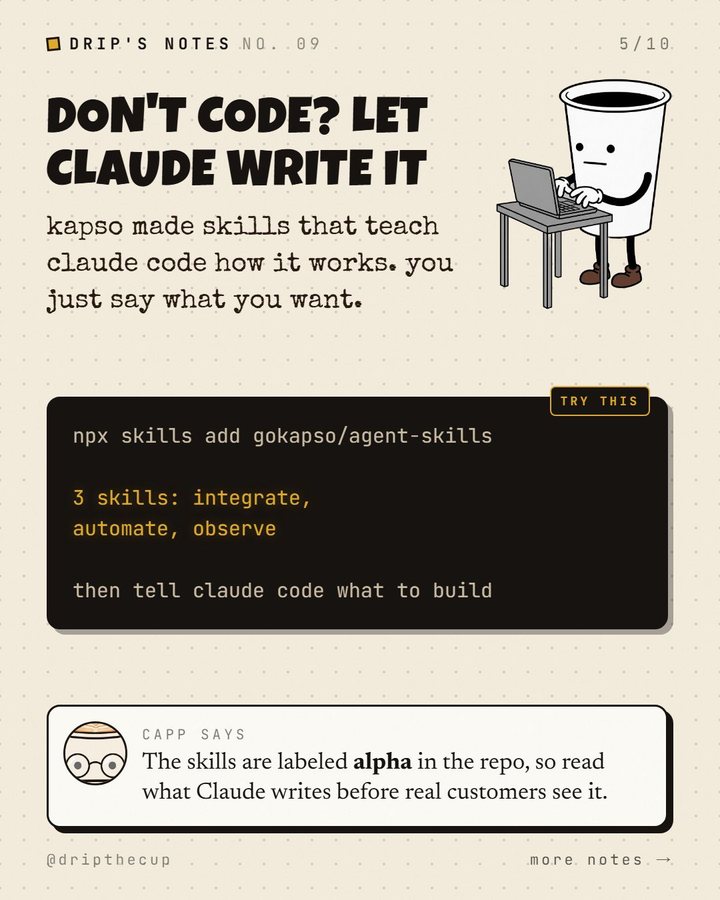
  • 3 skills (integrate, automate, observe) that teach Claude Code Kapso's WhatsApp API. Labeled alpha.

    npx skills add gokapso/agent-skills
More AI agent tools →

On YouTube soon

Short · Sep 2026 · 56s

AI tools

191 AI tools, and Jev picks the right one for you

What it covers

Drip has too many AI tools and no idea which one to use. Capp walks him through the Drip the Cup AI tools directory: 191 tools in 24 categories, one line on what each is best for. Tap what you want to do and Jev ranks the best fits. The video shows three tasks: saving tokens in a coding agent, generating a video, and typing faster by talking.

Everything we mentioned

  • 191 tools in 24 categories. Tap a task and Jev ranks the best fits.

  • Ponytail

    plugin

    Makes Claude Code write less code and spend fewer tokens.

  • Graft

    repo

    One of Jev's top fits for saving tokens in a coding agent.

  • Uses Jev to compact a coding agent's context.

  • Graphify

    skill + CLI

    Maps a codebase into a knowledge graph so the agent rereads less.

  • Many video and image models in one place.

  • Text and image to video.

  • Veo

    tool

    Google's video model.

  • ByteDance's video model.

  • Dictation that works in any app.

  • Dictation with local and cloud models.

  • Willow

    tool

    Voice dictation for typing faster.

Browse all 191 tools →

On YouTube soon

Short · Sep 2026 · 65s

Claude Code

4 free GitHub repos that make Claude Code way better

What it covers

Drip's Claude Code keeps forgetting what they were building. Capp shows him four free repos that change how it works: Superpowers plans and tests before it codes, Context7 hands it current docs, Graphify maps the codebase so it rereads less, and Ponytail makes it write less code and spend fewer tokens. Three are plugins; Graphify is a skill with its own command-line tool.

Everything we mentioned

  • Superpowers

    plugin★ 290K

    Asks what you're building, writes a plan, then works through it with tests at every step.

    /plugin install superpowers@claude-plugins-official
  • Context7

    plugin · MCP★ 62K

    Current, version-specific docs so Claude uses functions that still exist.

    /plugin install context7@claude-plugins-official
  • Graphify

    skill + CLI★ 120K

    Turns your codebase into a knowledge graph Claude looks things up in. Building the graph uses no LLM credits.

    uv tool install graphifyy
    graphify claude install
  • Ponytail

    plugin★ 144K

    Makes Claude work like a lazy senior developer. On the author's benchmark (12 real tasks): 54% less code, 22% fewer tokens, 20% lower cost. Read the benchmark.

    /plugin marketplace add DietrichGebert/ponytail
    /plugin install ponytail@ponytail
More skills and plugins →
Watch on YouTube ↗

Short · Sep 2026 · 56s

Jev

Jev vs ChatGPT: this AI doesn't write back

What it covers

Ask a chatbot which of 200 customer emails are frustrated and it writes you a paragraph your code then has to turn back into yes or no. Jev, TypeSafe's new model, reads the same emails and hands back one answer per email with how sure it is, so your code can act on it. It's priced on what it reads, and it can't answer outside your options, though it can still pick the wrong one.

Everything we mentioned

  • Jev by TypeSafe

    early access

    Declare the allowed answers; Jev returns them with probabilities. $0.042 per million input tokens, output not charged.

  • The three question types (Choice, Score, Noul), confidence, and worked cookbooks.

  • TypeSafe skills

    skill pack★ 1.9K

    Agent skills for building apps on Jev.

  • Matthew Berman's post: 724 live ads from 37 brands broken down in 40 seconds.

Try it: our AI tools finder runs on Jev →
Watch on YouTube ↗

Short · Sep 2026 · 74s

Jev

What is Jev? A decision model, not a chatbot

What it covers

Capp explains Jev to Drip, who reads his notes out loud. Chat models write paragraphs; Jev picks an answer and says how sure it is. It has three answer shapes (pick one, score it, yes or no), its 'System One' name comes from the fast, intuitive thinking in Thinking, Fast and Slow, and your code stays in charge of what happens next.

Everything we mentioned

Watch on YouTube ↗

Short · Sep 2026 · 67s

MCP

What is MCP? The one plug between your AI and your apps

What it covers

Capp explains MCP to Drip with a phone charger. The Model Context Protocol is one standard plug between an AI and your apps: each app builds its connector once, and any AI that speaks MCP can use it, instead of every AI needing its own custom connection to every app.

Everything we mentioned

Watch on YouTube ↗

Episode · Sep 2026 · 9:51

Voice to text

Four words. 25,000 numbers. Zero letters. How voice to text works

What it covers

What happens between you talking and words appearing on screen. Your voice reaches the computer as a stream of numbers, around 25,000 of them for four words and not a single letter. Drip and Capp follow those numbers as they're turned into a picture of sound, how a speech model guesses the words, and how today's dictation apps clean up what you actually meant.

Everything we mentioned

  • OpenAI's open speech-recognition model.

  • Whisper running fast and privately on your own computer.

  • The history, from 1950s digit recognizers to today's models.

Dictation apps in our AI tools directory →